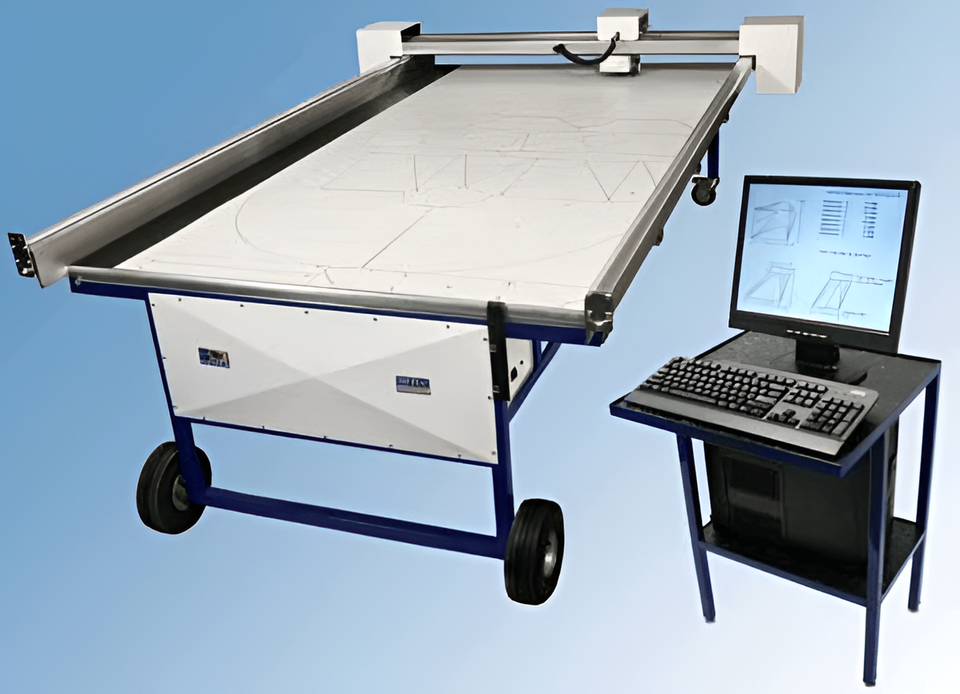
Easy to use! Just select the type of fitting you want from a menu,
pick edges from a list, and enter the finished
dimensions as shown in a picture on the screen.
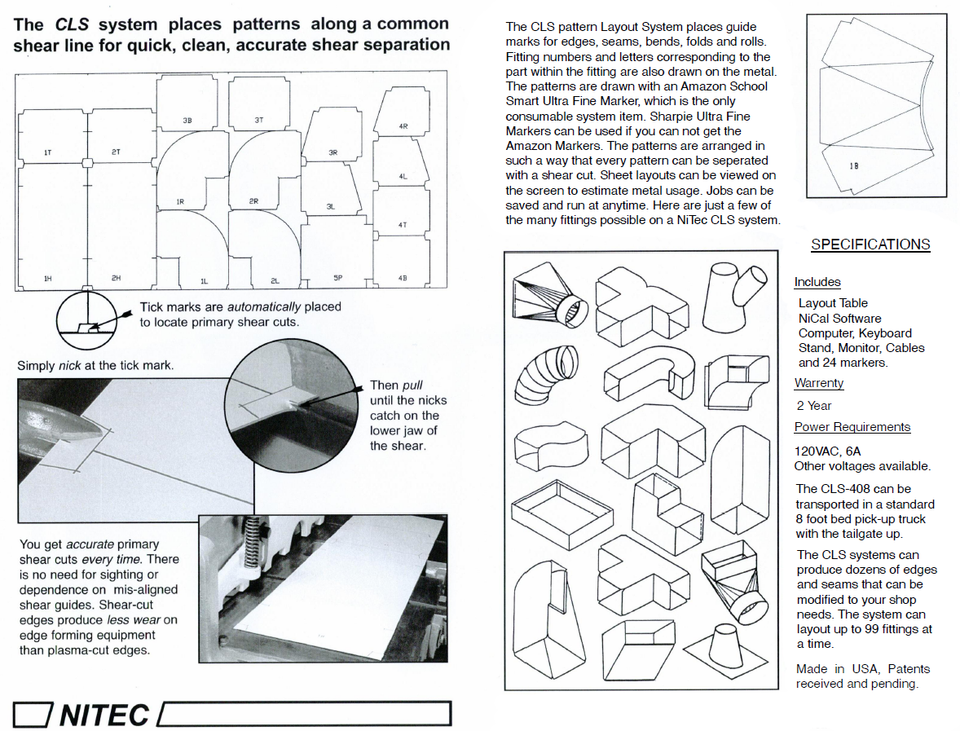
The system will draw the patterns on your metal complete with edges,
seams, bends, rolls, folds and other assembly marks. The marker is
a Sharpie® Extra Fine Point Marker which is inexpensive and
easy to get.
The patterns
are arranged in columns and marks are placed on the edge of the sheets, so a
shear can be used to easily separate the patterns and do most of the cutting.
All lines are on the inside of the patterns.
Because a job
of up to 99 fittings can be entered at once, the patterns are automatically
labeled to identify them with their fitting and location.
Example: If
the 3rd fitting entered in the job is a 4 piece transition, the pieces of that
fitting would have 3L, 3B, 3R, or 3T drawn on them. Of course, the letters stand
for Left, Bottom, Right and Top. The IDs are always at the same opening of the
fitting.
With the
optional label printer the systems can create paper labels for the outside of
the fittings. The paper labels can show job name, address, floor, location,
fitting number and even which truck it should be loaded. Anything you want.
These systems
allow you to pre-view the fitting patterns on the sheets, so you always know how
much metal will be used. You can even enter smaller pieces, non-standard or
scrap metal before you let the system draw the job. That way the system will try
to use those pieces of metal before it defaults back to full sheets, plus, you
can always save a job and draw it later. This feature is really nice if you have
a job you will need to repeat, like tract housing.
With typical
drawing speeds up to 600 i.p.m. and max head speeds over 1000 i.p.m., you can
make short work of your patterns. It does not have to be watched, so you can be
cutting and forming one sheet while it draws the next sheet. People tell me,
what took all day, now takes a couple of hours. Some have said that shop
expenses have been cut nearly in half.
The system
can also draw patterns created with other software packages like
Design2Fab
and
DeltaCad.
But, keep in mind
that you do not need any other software to quickly and easily create duct and
fittings for HVAC, Roofing and Dust Collection. We are just saying that if you
already have other software you can still use it. NiTec ships all systems
complete. This means you do not need to purchase anything else to use them.
Plus, we can often include set-up and training in the lower 48 States at no extra
charge.